Inspection
Surveyor-I
Zoom, thermal and night payloads for routine inspection.
Surveyor-I is the inspection configuration of the Surveyor multirotor family. It is designed to fly a planned route, capture repeatable images and return a report.
A network RTK option is planned for centimetre-level positioning on repeat inspections.
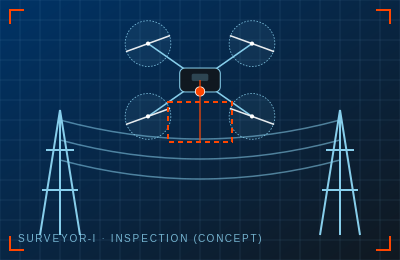
Zoom, thermal and night payloads for routine inspection.
Adds a network RTK module for centimetre-level repeat flights (planned).
A long-range, interference-resistant command link is a design target.
Real-time positioning for repeatable routes.
Forward obstacle avoidance and downward height sensing.
Navigation and control with real-time data backup.
| Parameter | Surveyor-I | Surveyor-I RTK |
|---|---|---|
| Payloads | Zoom, thermal, night camera | Zoom, thermal, night camera |
| Positioning | GNSS | GNSS with network RTK |
| Link | Encrypted, long range | Encrypted, long range |
| Obstacle sensing | Forward and downward | Forward and downward |
| Endurance | To be confirmed | To be confirmed |
Lines, towers and substations with HD and thermal cameras to find faults and cut manual climbs.
Detect leaks, corrosion and anomalies along long or remote routes.
Track forest health, spot illegal logging and find fire hotspots with infrared.
Check bridges, tunnels, roofs and high-rises for cracks and wear.
Operators learn on Limo Sim and on the aircraft. Certified pilot training runs through an approved training partner.
Build, rig and commission the aircraft from the kit.
Scheduled checks, parts care and battery handling.
Read logs and find faults before they ground a mission.
Fix common problems in the field, with remote help behind you.
Send the task, site, volume, timeline and any safety needs.
We reply with a configuration and an outline plan to refine together.
Choose the class, payloads and options, then agree warranty, certification and delivery terms.
Operators train on Limo Sim and the aircraft, and we support the first live missions.
Zoom, thermal and low-light payloads are planned.
It is an option on the RTK edition.
Yes, from saved routes in Limo Mission Suite.
As images and reports from Limo Mission Suite.
Not yet. Certification is part of our Phase 2 plan.